Cookie
Electronic Team, Inc. uses cookies to personalize your experience on our website. By continuing to use this site, you agree to our cookie policy. Click here to learn more.

Access a Modbus RTU Device Over a Network — Without a Hardware Gateway

Editorial Team Editorial Team
Updated: Jul 16, 2026

Your PLC, energy meter, or flow controller speaks Modbus RTU over a serial cable. Your SCADA, HMI, or data logger runs on a machine across the building — or across the country. This guide shows how to bridge that gap with a virtual COM port, so your existing software never knows the difference.

Access a Modbus RTU Device Over a Network

The Problem: Serial on One End, Network on the Other

Modbus RTU is still the dominant protocol on factory floors, substations, and remote field sites. It is fast, deterministic, and supported by virtually every industrial device made in the last 40 years. The problem is that it was designed for a short cable, not a network.

The typical scenario looks like this: a Modbus master — a SCADA platform such as Kepware, Ignition, or a custom application — needs to poll registers on a remote device. The device has an RS-232 or RS-485 port. The master software expects a local COM port. There is a corporate LAN — or a WAN — between them.
Key Insight

If you already have a PC or embedded Linux device at the remote site — a server, an edge gateway, a Raspberry Pi — you don't need a hardware device server. A software virtual COM port can do the same job, using hardware you already own.
The conventional answer is a hardware serial device server — a Moxa NPort, a Lantronix UDS, or a Digi PortServer. These are dedicated boxes that sit next to the field device, connect to your network, and present the serial port as a TCP socket. They work well, but they cost $150–$500 per port, require physical installation, and add hardware to maintain at every remote site.

Modbus RTU vs. Modbus TCP — and Why the Difference Matters

Before going further, it helps to understand what these two variants actually are — because they are not interchangeable, and the distinction drives the choice of approach.
Property
Modbus RTU
Modbus TCP
Transport
Serial cable (RS-232, RS-485, RS-422)
Ethernet / TCP/IP network
Frame format
Binary, CRC-16 checksum
Binary with MBAP header, no CRC
Default port
Physical COM port (e.g. COM3)
TCP port 502
Multi-master support
No — one master per bus
Yes — multiple masters can connect
Device requirement
Any device with RS-232/485 port
Device must support Ethernet
Protocol conversion
Yes, if device is RTU-only
A Modbus TCP gateway translates between these two variants at the protocol level — it speaks RTU to the serial device and TCP to the network client. It understands Modbus frames, strips or adds the MBAP header, and converts the CRC.

A virtual COM port redirector like Serial to Ethernet Connector does something different: it tunnels the raw serial byte stream transparently over TCP. The master software still sends Modbus RTU frames to a COM port — it just happens that the COM port is virtual and the bytes travel across the network before reaching the physical serial device. No protocol conversion happens. The device sees identical RTU frames; the software sees an identical COM port.
Note

If your master software already speaks Modbus RTU and targets a COM port, the virtual COM port approach requires zero changes to the software. If your software only supports Modbus TCP (port 502), you need a gateway — or the software itself to handle the conversion. Most modern SCADA platforms (Kepware, Ignition, Inductive Automation) support both and let you choose per channel.

How the Virtual COM Port Tunnel Works

Serial to Ethernet Connector runs as a background service on two machines simultaneously: the server side (where the physical serial port lives) and the client side (where the Modbus master software runs). Together, they create a matched pair of virtual ports connected by a persistent TCP session.

[Modbus Master (Kepware / Ignition)] → [Virtual COM5 — SEC client] ⟷ TCP / LAN / WAN ⟷ [SEC server] → [Physical COM1 RS-485] → [PLC / Meter / RTU]
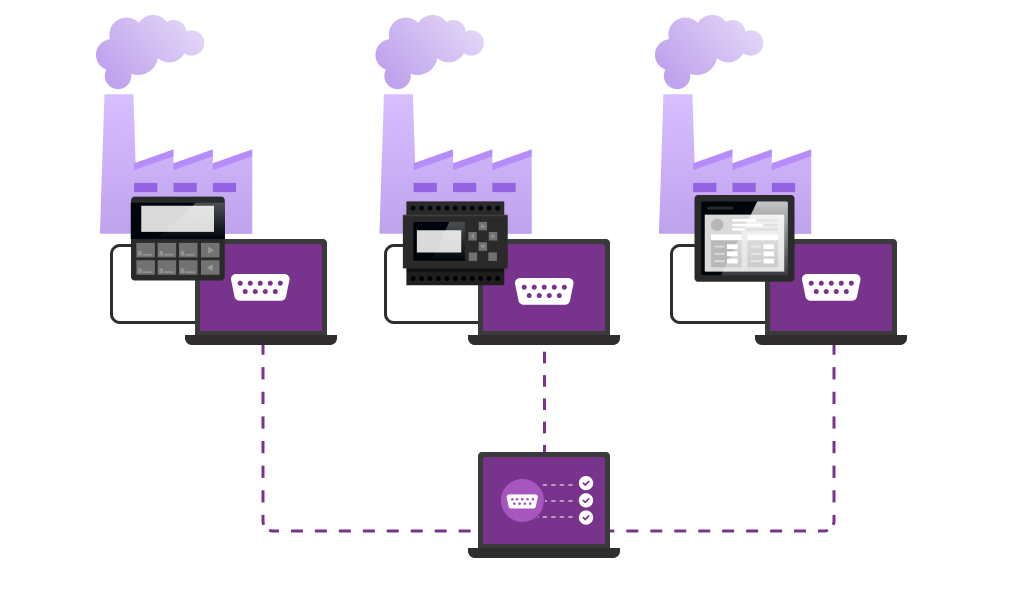
From the application's perspective, COM5 behaves exactly like a real serial port. The baud rate, parity, stop bits, and RTS/CTS signals are all forwarded. The application sets 9600 8N1 on COM5 and gets exactly that behavior on the remote COM1 — even though there is a TCP connection in between.

This means no changes to existing software configurations. If your SCADA project was already talking to a local PLC on COM3, you re-point it at the new virtual port and it works. The Modbus driver does not know — or care — that the port is virtual.

One-to-Many and Many-to-Many: Connecting Multiple Devices at Once

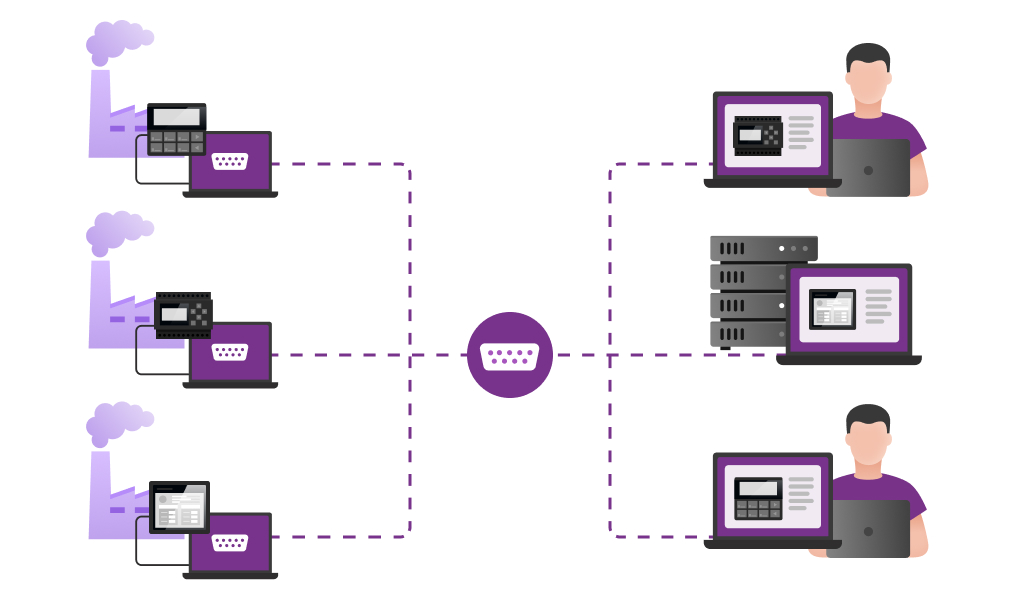
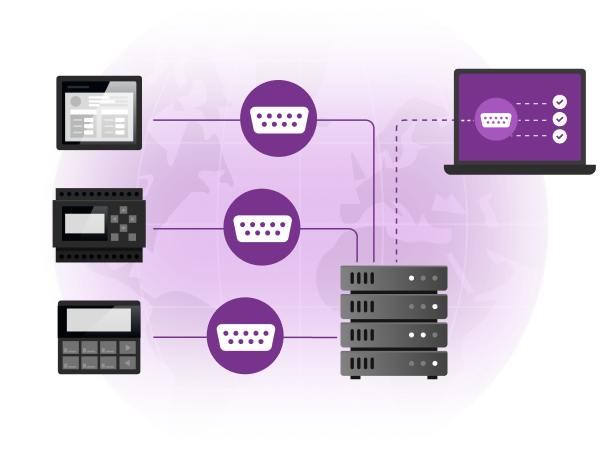
A simple point-to-point tunnel is useful, but Serial to Ethernet Connector goes further: it supports one-to-many and many-to-many connection topologies, which maps directly onto how real Modbus networks are built.
One master, many slave devices

One master, many slave devices

In the most common industrial scenario, a single Modbus master (your remote SCADA, HMI, or data-acquisition application) needs to poll many field devices — meters, PLCs, RTUs, drives — that are spread across a site or across multiple remote locations. With Serial to Ethernet Connector, you configure one Server connection per remote serial port and one corresponding virtual Client COM port per device on the master PC. The master application sees a set of independent virtual COM ports, one per device, and polls each one as if it were a local serial connection.

[Modbus Master SCADA] → COM5 ⟷ TCP ⟷ SEC server → COM1 → [Energy Meter, Site A]
→ COM6 ⟷ TCP ⟷ SEC server → COM1 → [PLC, Site B]
→ COM7 ⟷ TCP ⟷ SEC server → COM1 → [RTU, Site C]
Each virtual COM port is a dedicated, isolated channel. The master software polls each one independently, with its own baud rate, slave ID range, and poll interval. There is no theoretical limit on the number of remote devices — you add a Server/Client pair for each one.
Many masters, one device

Many masters, one device

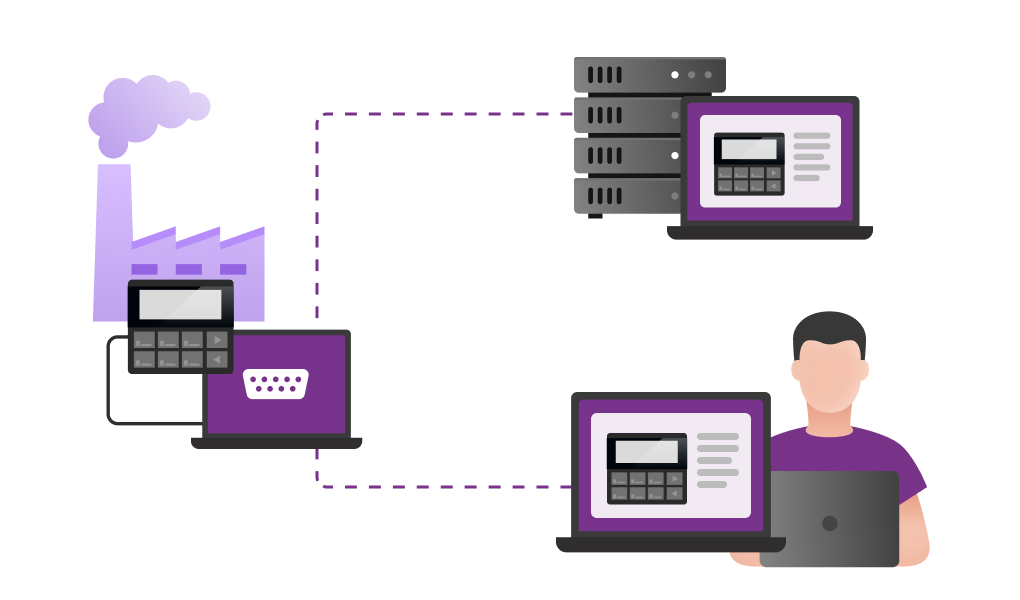
Serial to Ethernet Connector also supports the reverse: multiple Modbus master applications — or multiple engineering workstations — simultaneously accessing the same physical serial device. This is useful when, for example, a SCADA system and a maintenance engineer's laptop both need to read from the same energy meter or remote PLC without unplugging cables. Each master connects to the server port and gets its own virtual COM port, while the server manages access to the shared physical port.
Many masters, many devices

Many masters, many devices

The two topologies can be combined freely. A large installation might have dozens of remote serial devices, each served by its own SEC Server instance, with multiple engineering workstations or SCADA nodes each holding a set of virtual Client ports. The result is a full virtual serial network — flexible, software-defined, and requiring no additional hardware beyond what is already in place.
Practical tip

When multiple masters share access to one physical serial port, it is important that your Modbus polling is serialized — only one master should send a request at a time, since Modbus RTU has no collision detection. Most SCADA platforms queue requests automatically. If yours does not, configure the masters to use non-overlapping poll windows or use separate physical ports per master.

Step-by-Step Setup

The following assumes you have two Windows machines on the same network (or connected by VPN). The same principle applies to Linux using the command-line edition.
1
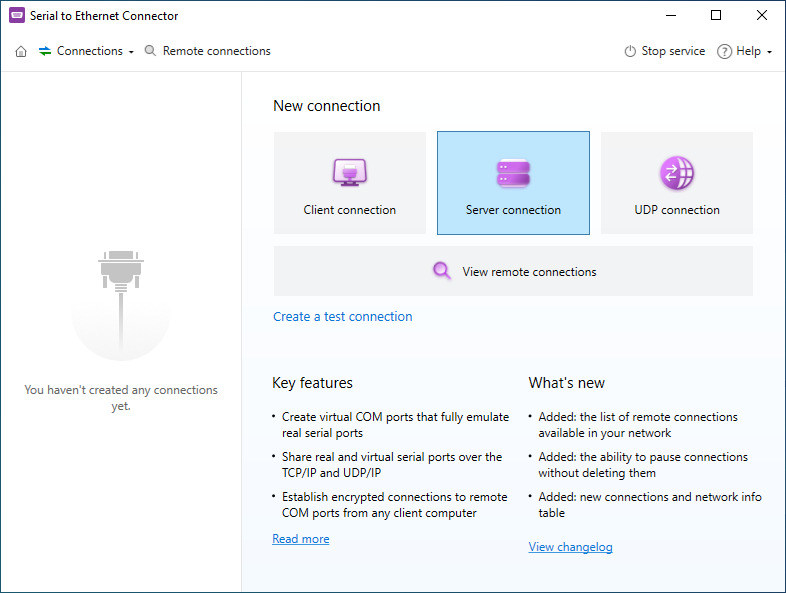
Install Serial to Ethernet Connector on both machines — Run the installer on the server machine (the one with the physical RS-232/485 port connected to your Modbus device) and on the client machine (the one where your SCADA or Modbus master software runs). The same installer covers both roles.
2
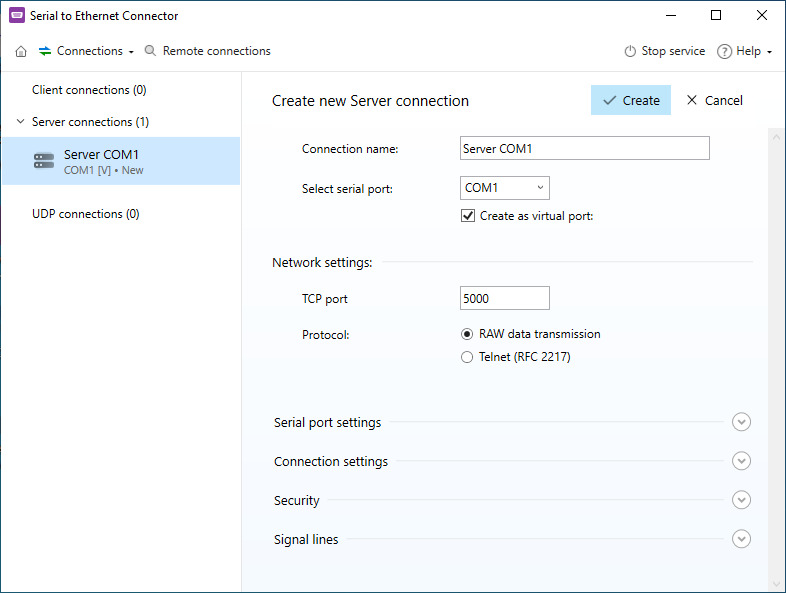
Create a Server connection on the machine with the physical port — Open the app, click Add connection → Serial over Ethernet → Server. Select the physical COM port (e.g. COM1), set the baud rate and frame format to match your device (e.g. 9600 8N1 for most Modbus RTU devices), and choose a TCP port to listen on (default 5000). Click Connect — the service is now listening.
3
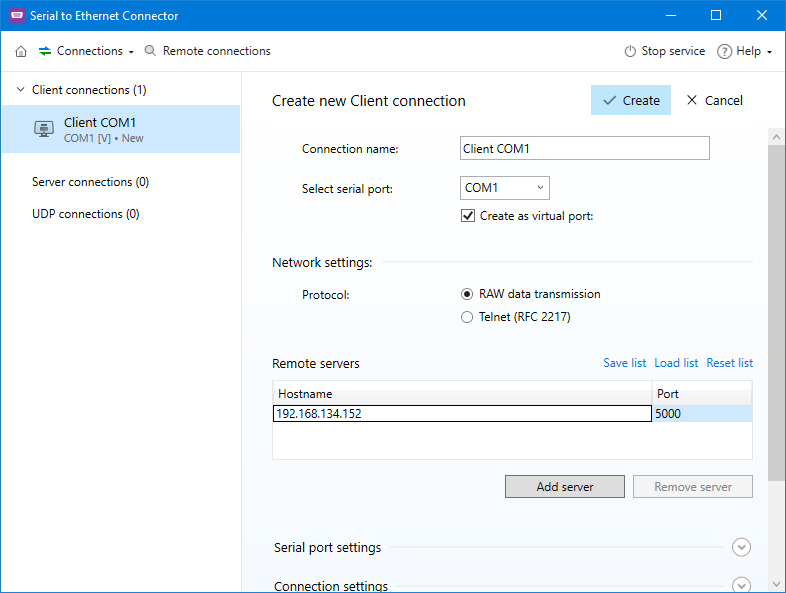
Create a Client connection on the Modbus master machine — On the second machine, click Add connection → Serial over Ethernet → Client. Enter the IP address of the server machine and the same TCP port (5000). The software will create a new virtual COM port (e.g. COM5) and connect. You will see a Connected status in both instances.
4
Point your Modbus master software at the new virtual port — In Kepware, Ignition, ModRSsim, or whatever tool you use, change the channel's COM port to the new virtual port (COM5). Keep all other settings — baud rate, parity, slave ID, poll rate — identical. Communication should start immediately.
5
Verify with a Modbus poll — Use Modbus Poll or QModMaster to send a manual read request (Function Code 03) to your device's slave ID. If registers return values, the tunnel is working end-to-end. If you get a timeout, check that the baud rate on the virtual port matches the physical port, and that no firewall is blocking TCP port 5000.
RS-485 Tip

RS-485 multi-drop buses (many devices, one cable) are fully supported. Configure the physical COM port on the server side with RTS control enabled if your USB-to-RS485 adapter requires it for half-duplex direction switching. The virtual port on the client side will mirror the same RTS behavior automatically.

Common Setups and Device Types

The tunnel works with any device that speaks Modbus RTU. Most frequent configurations:


  • PLCs (Siemens S7, Allen-Bradley, Schneider Modicon) — Remote programming and live data polling over plant LAN.
  • Energy & gas meters (Eastron, Carlo Gavazzi, Socomec) — Substation or switchroom meter reading from a central energy management system.
  • Variable frequency drives (Danfoss, ABB ACS, Siemens SINAMICS) — Reading speed/torque registers and writing setpoints remotely.
  • RTUs & protection relays (Schweitzer SEL, GE Multilin) — Reading event logs and status registers from remote substations over WAN/VPN.
  • Industrial scales & weighbridges (Mettler-Toledo IND, Rice Lake) — Reading weight values from a central dispatch or ERP system.
  • Solar inverters (SMA, Fronius, Growatt) — Monitoring yield, string data, and fault codes from a central monitoring platform.
  • Flow & pressure instruments (Yokogawa, Endress+Hauser) — Process data acquisition without replacing legacy RS-485 field wiring.
  • HMIs & operator panels (Weintek, Kinco) — Sharing a single panel's COM port across multiple engineering workstations.

Software vs. Hardware Serial Device Server: Honest Comparison

Both approaches work. The right choice depends on whether you already have a PC at the remote end and how much you value deployment simplicity vs. device independence.
Criterion
Serial to Ethernet Connector
Hardware Device Server (Moxa / Lantronix / Digi)
Upfront cost per port
✓ Software license, one-time
$150–$500 hardware per port
Physical installation required
✓ No — installs on existing PC
Yes — rack mount or DIN rail at site
Works without a PC at remote end
Needs a PC/server/SBC
✓ Yes — standalone device
Protocol conversion (RTU → TCP)
No — transparent tunnel only
Many models include this optionally
RS-485 multi-drop support
✓ Yes
✓ Yes
One-to-many / many-to-many
✓ Yes — unlimited virtual port pairs
Limited by the number of physical ports per unit
Remote configuration
✓ Via software UI or command line
Web UI or Telnet
Works over VPN / WAN
✓ Yes — it's a TCP connection
✓ Yes
Works on Linux / embedded
✓ Yes — CLI edition for RPi, x86
Hardware is the Linux device
No changes to Modbus master app
✓ Just re-point the COM port
✓ Same virtual port driver model
Ideal when
A PC or SBC already sits at the site
No PC at all at the remote end

Common Issues and How to Fix Them

Modbus timeouts on every poll

The most common cause is a baud rate mismatch. Confirm that the physical port on the server side and the virtual port on the client side are set to the same baud rate and frame format as the field device. Modbus RTU devices default to 9600 8N1 but some ship with 19200 or 38400. Check the device manual or use a serial monitor on the physical port first.

Connection drops after a few seconds

Check whether a corporate firewall or Windows Defender Firewall is closing idle TCP connections. Add an inbound rule on the server machine for TCP port 5000. If operating over a WAN, confirm the VPN or NAT router is not timing out the connection; enable TCP keepalive in the Serial to Ethernet Connector settings to prevent this.

RS-485 half-duplex collisions

If you are using an RS-485 adapter that requires software RTS control for direction switching, enable RTS toggle mode on the physical port in the server-side configuration. This ensures the adapter's transmit-enable pin is driven correctly before each Modbus request frame. Without it, you may see garbled responses or no response at all.

Multiple slaves on one RS-485 bus not responding

RS-485 multi-drop works normally — one virtual COM port on the client side can poll all slave IDs on the bus. Make sure your Modbus master software is sending unicast requests with specific slave IDs (1–247) and not broadcast requests (slave ID 0), which do not generate responses. Add inter-poll delays if the bus is heavily loaded.

Quick connectivity test (Linux / Windows WSL):

nc -zv 192.168.1.50 5000
# Expected: Connection to 192.168.1.50 5000 port [tcp/*] succeeded!
# If this fails, the firewall is blocking the TCP port

Frequently Asked Questions

No. The virtual COM port approach means your software continues to use the Modbus RTU driver and targets a COM port — the same as it always has. The only change is which COM port number you select. No TCP port, no IP address, no protocol change inside the application.
Yes. The single physical RS-485 port can have many slaves wired to it (up to 32 on a standard bus, 256 with repeaters). The virtual COM port on the master side represents that entire bus. Your Modbus master sends frames addressed to individual slave IDs (1–247) and each device responds to its own address, exactly as it would on a local serial connection.
There is no hard limit set by the software itself. Each remote serial device gets its own Server/Client port pair. In practice, the limit is your network bandwidth and the polling capacity of your Modbus master application. Installations with dozens of remote COM ports are common, particularly in energy metering and SCADA environments.
On a local LAN, added latency is typically 1–5 ms — negligible for polling applications. Over a WAN or VPN it depends on the link quality, but most SCADA and data-acquisition applications use poll intervals measured in seconds, making even 50–100 ms of added latency irrelevant. Set your Modbus timeout to at least 3× the expected round-trip time to be safe.
Serial to Ethernet Connector supports a shared-access mode where multiple client virtual ports connect to the same server port. Whether this works for Modbus depends on your master software — Modbus RTU is a request/response protocol and simultaneous requests from multiple masters will collide on the bus. Most SCADA platforms handle this through their own request queuing; if yours does not, use separate physical ports per master or serialize access at the application level.
Yes, as long as the remote site's router has a reachable IP (static, or DDNS) and the TCP port is forwarded. In practice, most industrial cellular routers support port forwarding or VPN tunnels, which is the more secure option. Enable the keepalive setting in Serial to Ethernet Connector to recover gracefully from brief cellular dropouts.
The default TCP tunnel is unencrypted, which is standard practice on isolated plant networks. For WAN-connected sites, the recommended approach is to run the tunnel inside a VPN — IPsec or WireGuard — which encrypts the entire session. An SSH tunnel is also straightforward for Linux-to-Linux setups.
Serial to Ethernet Connector
Access remote serial port over IP Network for Windows
14-day Free Trial available
License price starts at $259.95
Available for